Temu Integration Guide
Integrate your Temu store with Helm to automate order management, maintain accurate inventory levels, and streamline fulfilment operations alongside your other sales channels
Last updated 12 months ago

Who is Temu
Temu is a global online marketplace known for offering a wide selection of low-cost consumer goods ranging from fashion and electronics to homeware and beauty products
It operates internationally, shipping to countries across Europe, the United Kingdom, North America, and beyond
Temu is designed to help manufacturers and suppliers connect directly with consumers, allowing for competitively priced listings and a streamlined supply chain
Its business model focuses on high-volume, low-margin sales - making it an ideal platform for sellers looking to scale quickly
Thanks to aggressive marketing, fast onboarding, and seller support tools, Temu has quickly become one of the fastest-growing eCommerce platforms in the world

Why Sell on Temu
Priority placement for new sellers
Temu offers preferential placement and traffic-driving tools to boost visibility for new sellers
Fast-growing customer base
With millions of active users worldwide, Temu is rapidly growing into one of the largest global eCommerce platforms
International reach
Sell across multiple regions without having to manage separate listings or platforms
Temu Integration Guide
Connect your Temu store to Helm to streamline order processing, manage stock in real time, and grow your sales on one of the fastest-growing marketplaces around
Temu is an online marketplace known for offering a wide range of low-cost consumer products
It ships globally to countries including the United Kingdom, United States, Australia, and across Europe
Thanks to its low pricing model and high visibility, it’s become a go-to for value-conscious shoppers
By integrating Temu with Helm, you can automate product syncs, stay on top of order flow, and keep your inventory accurate across systems
Getting Started
Step 1 – Sign Up as a Temu Seller
Visit the Temu Seller Centre and complete your onboarding
Sign up now

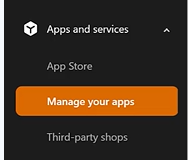
Step 2 – Install the Neuro App in Temu
Once your seller account is active, install the Neuro App from within the Temu Seller Centre
This links your Temu data with Helm, allowing product and order syncing
Step 3 – Add Temu as a Sales Channel in Helm
Go to Settings
Select Sales Channels
Click Add New Channel (bottom right corner)
Search for Temu and install the channel
Required Fields
Once installed, you’ll be prompted to enter your integration credentials.
These are found in your Temu Seller Centre:
Additional Settings
You can enable optional settings to tailor how Helm behaves with your Temu store

Final Steps
Once all fields are complete
Click Submit to finish setup
⚠️ Make sure a warehouse has been added in Helm before going live with the integration
Once submitted, your Temu integration is active and ready to go
You're now fully connected and ready to Take the Helm!

For help with technical setup or credentials, contact Helm Support

Was this helpful?
Still need help? Share an idea